Introduction #
Thank you for purchasing an Electroconcept product.
Please read carefully the following guide before using 1 universe USB Node to DMX ArtNet.
Responsibility:
Electroconcept can’t be held responsible for any damage caused by a misuse of any kind such as loss of utilizing, consumable destruction (tapes, CDs, LED Strips, etc.) or any other financial loss due to an inappropriate use of our products or any impossibility to use them; so as any wiring mistake during the installation.
Guarantee:
Electroconcept products benefit from a two years manufacturer guarantee (electronic components only, except consumable ones e.g plastic components). The product must be returned to Electroconcept postage paid and in its original package. If not, the package will be refused and returned to sender. Electroconcept company is in charge of the product restitution. Are excluded of the guarantee benefits the followings : any damage caused by carelessness, mistake, lack of maintenance by the user (broken, burned, heated, soaked, silted up, etc.); wrong installation or misuse by the user. All our products are tested before sending to buyers. Modifications of any kind are at your own risk and out of guarantee benefits.
Technical specifications #
- PC USB Interface
- USB Protocol: CDC-NCM
- DMX Interface: XLR 3-pin female
- DMX Isolation: optical isolation, namely protection against ground loops
- Universe amount: 1 bidirectional universe of 512 channels
- RDM controller: included
- Power supply: Bus USB 5V (consumption < 120 mA)
- Dimensions : 82 mm x 42 mm x 42 mm
Main presentation #
What about 1 universe USB Node to DMX ArtNet?
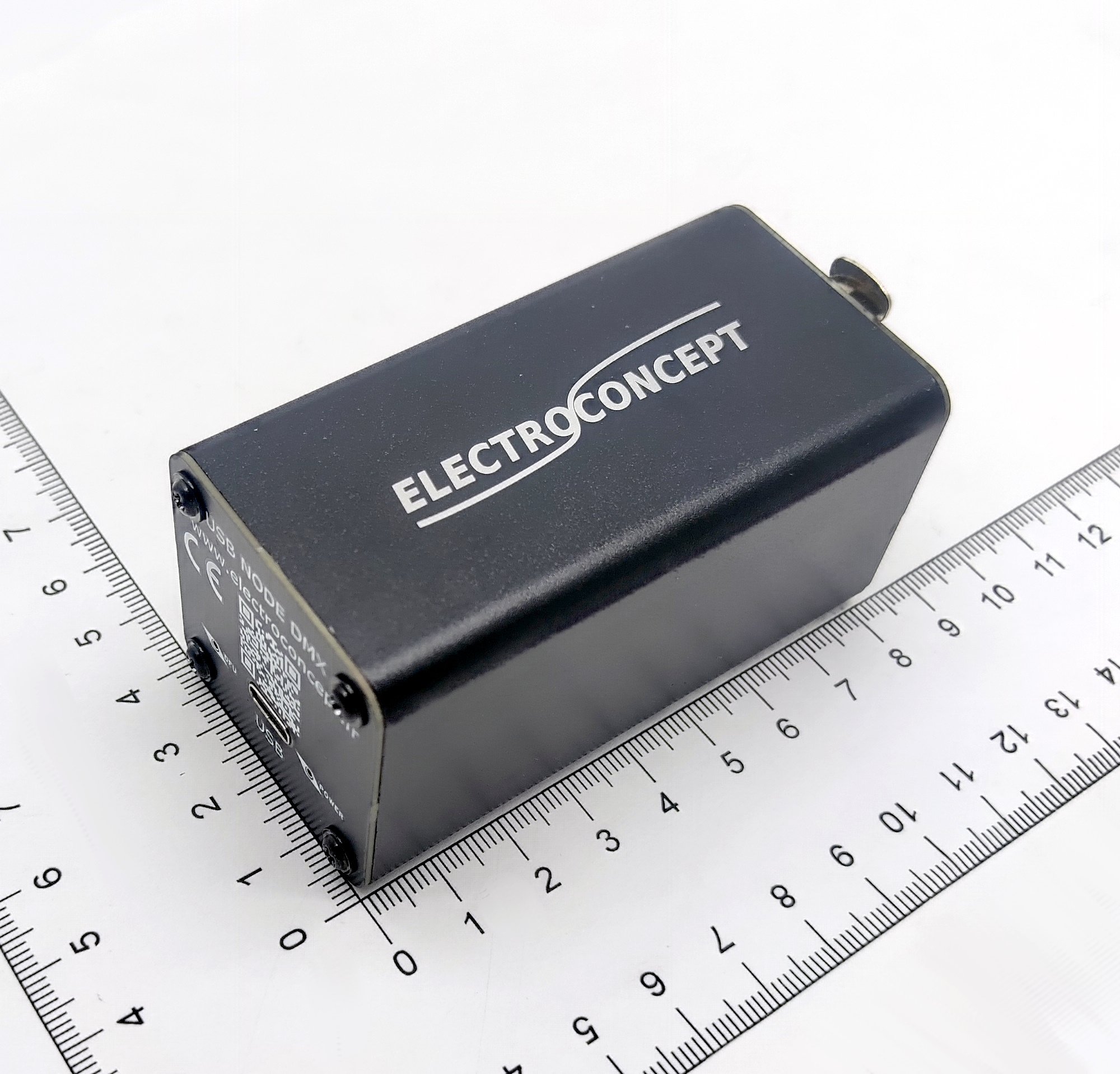
Electroconcept 1 universe USB Node to DMX ArtNet is a professional DMX 512 interface that plugs directly to your computer via USB. It allows to drive DMX lightening devices with no need of an Ethernet network board.
The unit includes:
– a WebHID interface for advanced configuration,
– a CDC-NCM USB to Ethernet converter,
– a DHCP server to automatically configure a network,
– an ArtNet Node for the Ethernet ↔ DMX512 conversion,
– a RDM controller to manage spotlights from a distance,
The unit creates a virtual network where:
– 1 universe USB Node to DMX ArtNet IP address is: 2.0.0.1;
– Your computer gets the 2.0.0.2 address via DHCP;
– ArtNet softwares spot automatically the 1 unvierse USB Node to DMX ArtNet on the network.
Pros:
Plug & Play: no driver to install manually (CDC-NCM built-in);
Universally compatible: works with all ArtNet softwares;
Cross-platform: Windows 10/11, Linux (kernel 2.6+), macOS 10.15+;
Portable: USB powered, no external power supply;
Online configuration: the interface is reachable from any compatible WebHID browser;
incorporared RDM: spotlights distant configuration without going on stage;
Bidirectionnel: OUT mode (DMX broadcast) and IN (DMX reception).
Drivers’ installation #
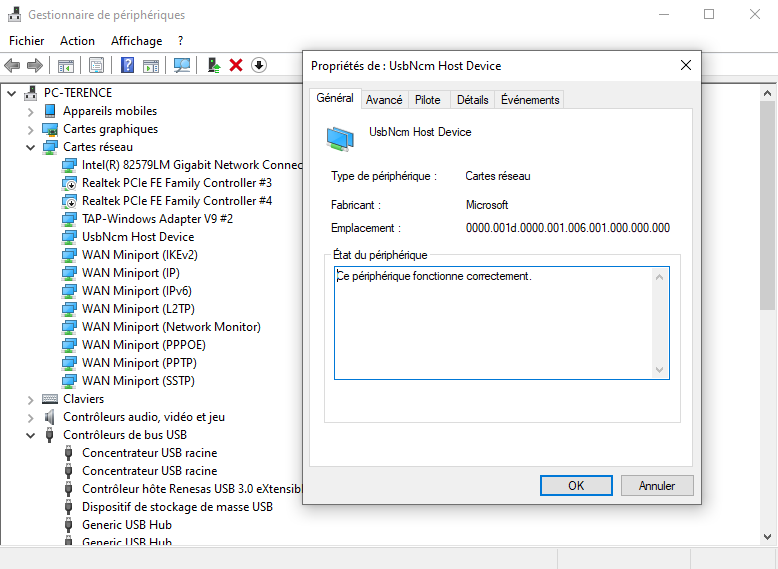
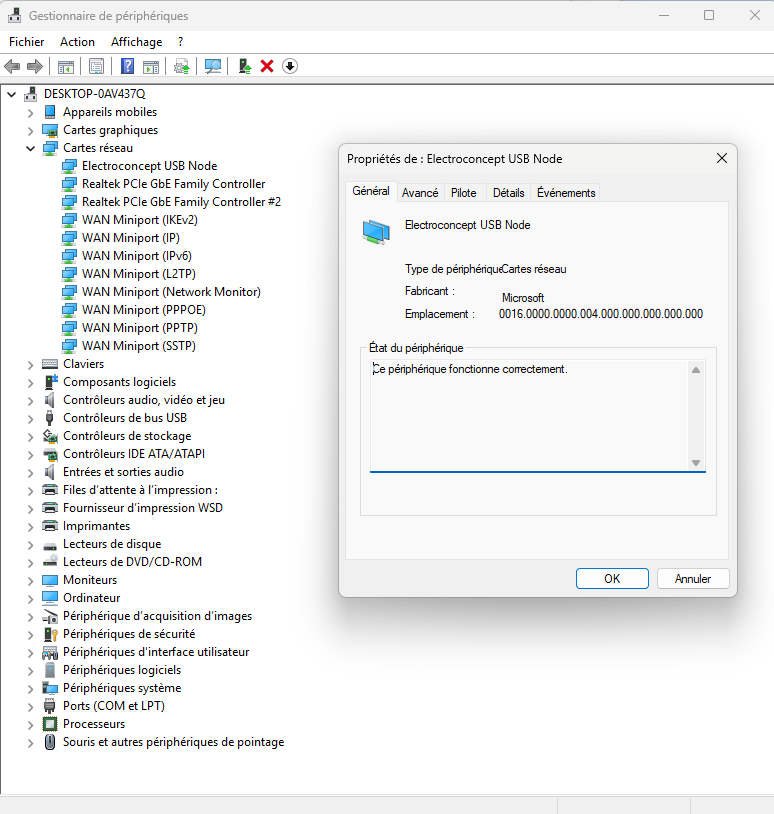
Most of the time drivers aren’t necessary to use the 1 universe USB Node to DMX ArtNet because they are generally integrated in the operating system. When the device is correctly set up, it should appear as a network board.
Windows #
Example of how it appears in the device manager on Windows 10 on the left and on Windows 11 on the right:
MacOS #
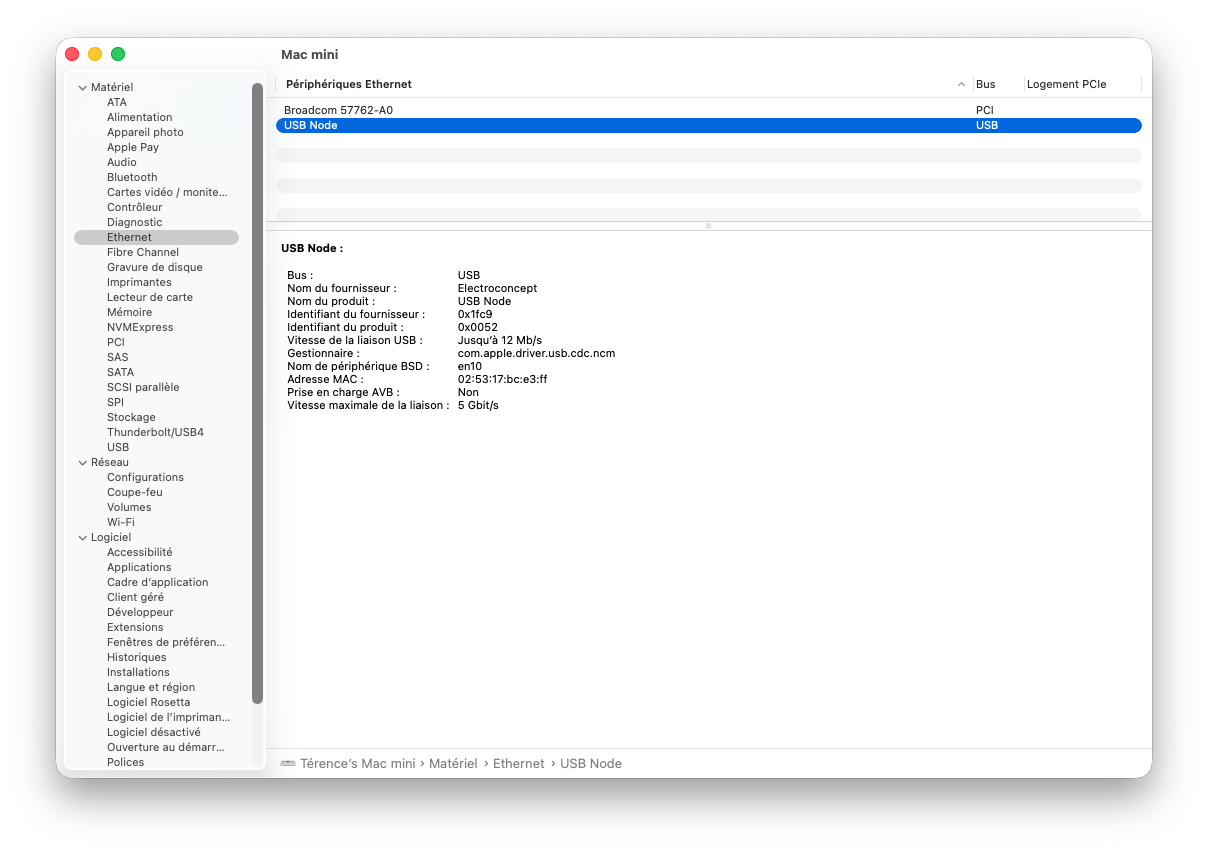
Example of the device manager in the system report menu on MacOS accessible as followed: system settings => general => Information => system report:
Default configuration #
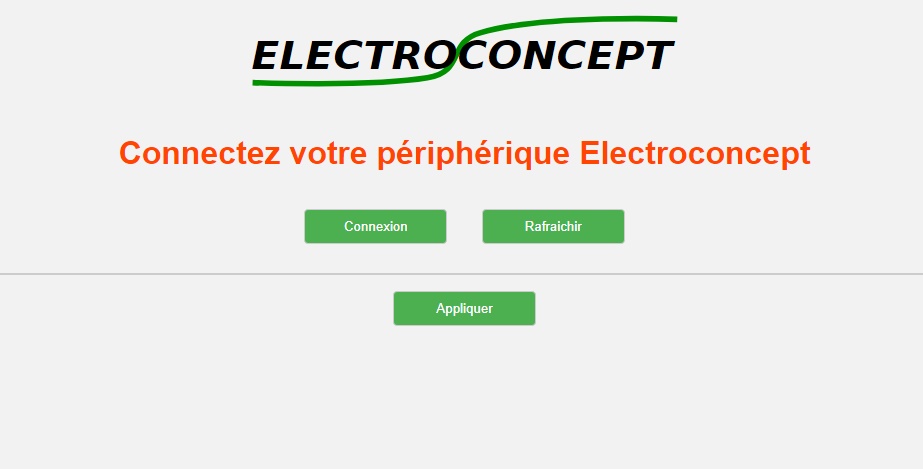
The 1 universe USB Node to DMX ArtNet is delivered in OUT DMX mode, that is USB Input and XLR Output. 1 universe USB Node to DMX ArtNet can be configured with dmx_tools, available on the following link:
https://dmx-tools.electroconcept.fr/
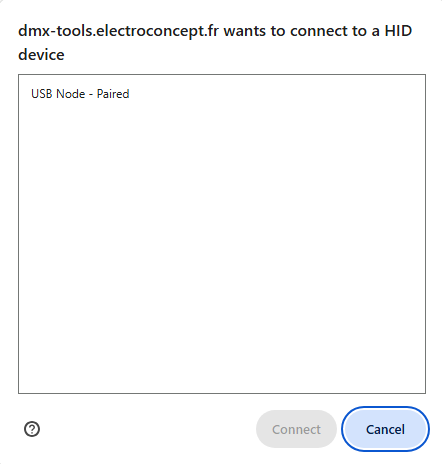
Click on Connect and select your device in the pop up window that appears on your screen.
Settings menu #
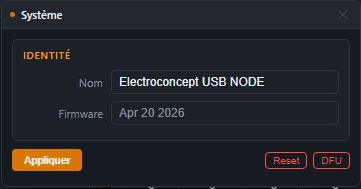
Warning: please remember to click on Apply to confirm any change that you want to make. If not, setting changes won’t be taken into account.
System settings #
System settings and information.
Nom: Unit name (63 characters max, appears in ArtNet softwares).
Firmware version: Date of embedded firmware.
RESET : Resets the 1 universe USB Node to DMX ArtNet to its default settings. warning : this action erases all settings previously made.
DFU : Restarts the unit in DFU mode to update the 1 universe USB Node to DMX ArtNet. Warning: the device will be automatically disconnected by selecting DFU.
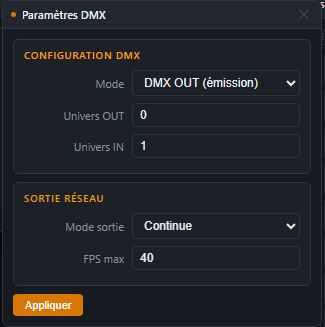
DMX settings #
DMX mode and universes configuration.
Mode: DMX OUT (broadcast) or DMX IN (reception)
Universe OUT: ArtNet universe number to listen to (0-255).
Universe IN: ArNet universe number to send received DMX.
Network outpu : allows to set up the DMX IN Output mode (broadcast and reception):
- Continuous Output: fixed DMX Output frequency (uses FPS Max)
- Non stop Continuous Output: fixed DMX Output frequency even if nothing is broadcasted.
- Transparent Output: synchronised with received DMX frame.
FPS max : DMX refreshing frequency in continuous Output mode or non stop continuous Output (16-44 Hz, défaut : 40 Hz).
Network settings #
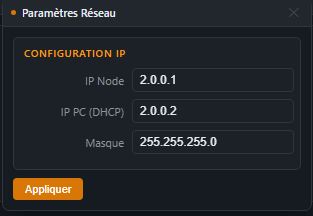
Unit network configuration
- IP Node: Unit IP address, by default: 2.0.0.1.
- IP PC (DHCP): IP address assigned to the PC by the integrated DHCP server, by default: 2.0.0.2.
- Mask: sub network mask, by default: 255.255.255.0
⚠️ Warning: Changing theses settings can affect the ArtNet communication. Do not change theses settings unless you are fully aware of what you are doing.
DMX console #
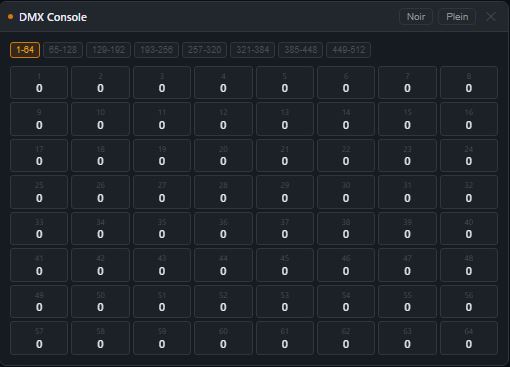
Virtual console with 8 faders to control manually DMX channels.
Perfect to test your spotlights without lightening software.
Faders: Move cursors to adjust values (0-255)
Navigate through channels pages (1-64, 65-1288, etc.) by clicking on the targeted channels so the screen shows the selected channel and its value.
Black: click on black and it resets all values to 0.
Full: click on full and all channels values will be set on 255.
DMX Monitor #
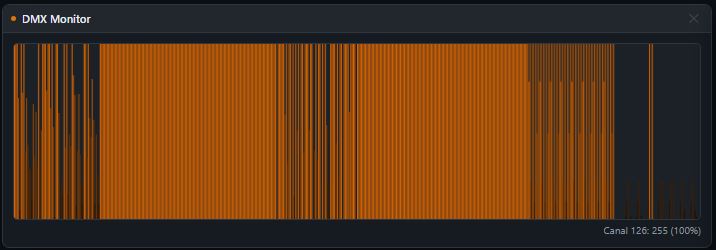
Displays in real time the 512 DMX channels in the form of a bar graf.
Each bar represents a DMX channel (1 to 512).
The color indicates a value, black = 0; orange = 255.
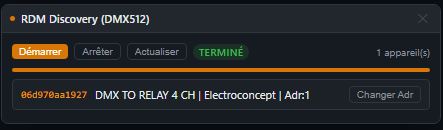
RDM Discovery #
Discover and configure automatically your RDM compatible spotlights.
Scan can take up to 2 minutes depending on the amount of spotlights to look for.
Start: Launches RDM discovery on the DMX line.
Devices list: Displays spotlights found with UID, name, DMX address, footprint, manufacturer.
Changer Adr: Changes instantly a spotlight DMX address.
HID Debug Console #
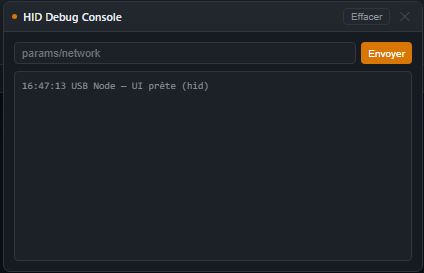
Debug console to visualize WebHID and RDM communications, useful for advanced repairing only or to check RDM correct functioning. It displays all sent requests to the unit and RDM responses (allows to diagnose discovery problems).
PAUSE: freezes display to read messages.
CLEAR: erases console display.
Usage #
To use the 1 universe USB Node to DMX ArtNet, you have to be equiped with a compatible ArtNet software and a DMX XLR 3-pin wire (not included) in order to plug it to your devices. Once your ArtNet compatible software is selected, you can configure your Output device by selecting it in the Output settings of your ArtNet software.
Q Light Controller+ QLC+ #
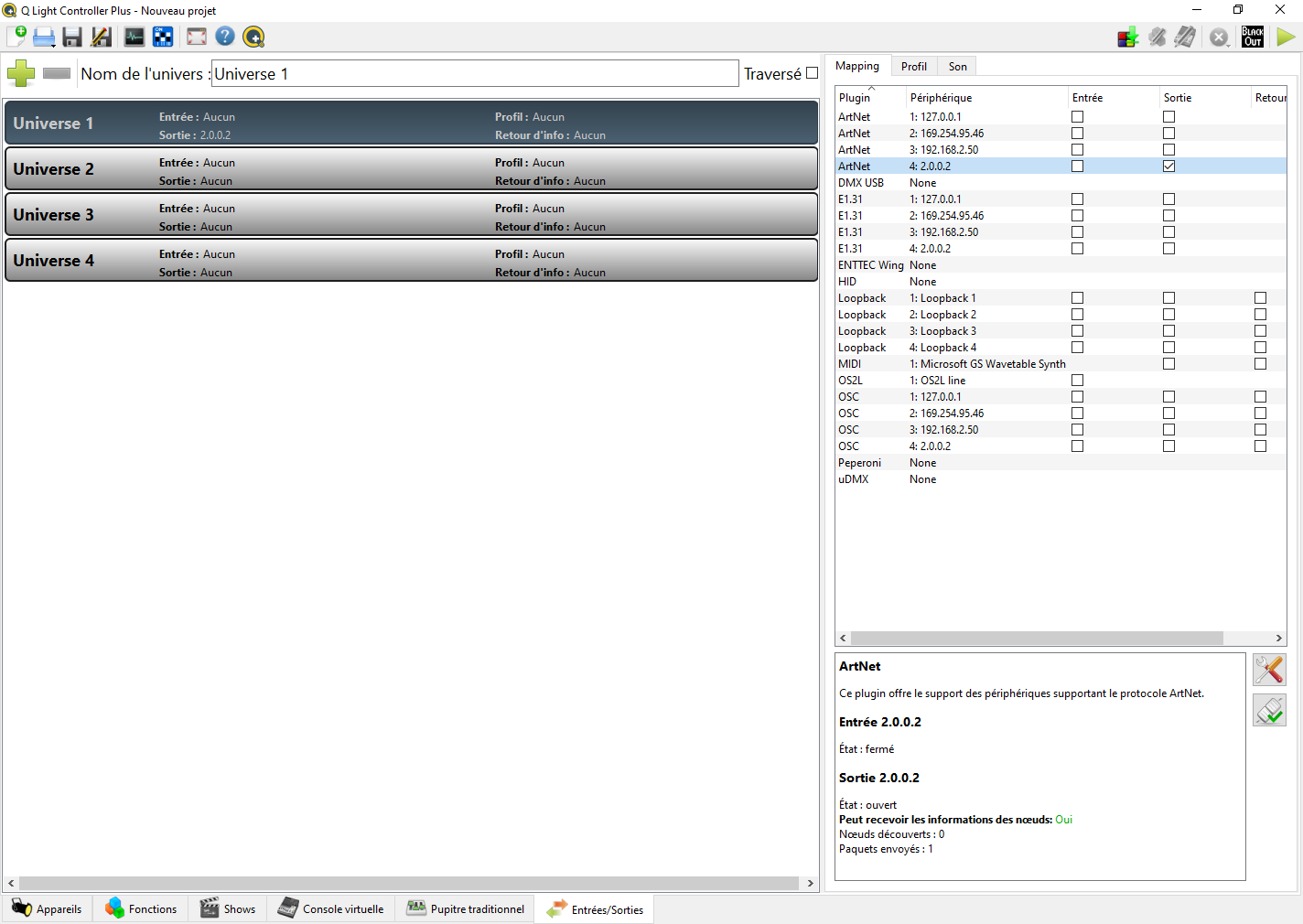
To set up your 1 universe USB Node to DMX ArtNet, go on the tab Inputs / Outputs at the bottom right and check the Output check box of the ArtNet line corresponding to the 1 universe USB Node to DMX ArtNet. Its LED should blink fast.