
Introduction #
Thank you for purchasing an Electroconcept product.
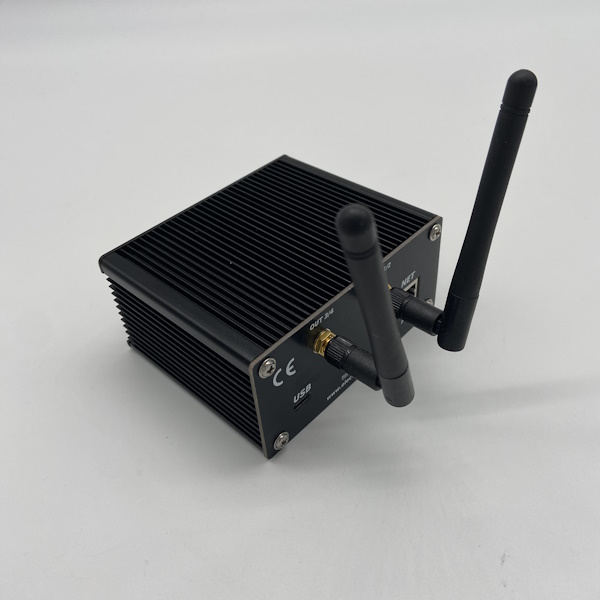
Please read carefully the following guide before using DMX HF V3 Art-Net / sACN 4 universes + PoE emitter.
Responsibility:
Electroconcept can’t be held responsible for any damage caused by a misuse of any kind such as loss of utilizing, consumable destruction (tapes, CDs, LED Strips, etc.) or any other financial loss due to an inappropriate use of our products or any impossibility to use them; so as any wiring mistake during the installation.
Guarantee:
Electroconcept products benefit from a two years manufacturer guarantee (electronic components only, except consumable ones e.g plastic components). The product must be returned to Electroconcept postage paid and in its original package. If not, the package will be refused and returned to sender. Electroconcept company is in charge of the product restitution.
Are excluded of the guarantee benefits the followings : any damage caused by carelessness, mistake, lack of maintenance by the user (broken, burned, heated, soaked, silted up, etc.); wrong installation or misuse by the user.
All our products are tested before sending to buyers. Modifications of any kind are at your own risk and out of guarantee benefits.
Technical specifications #
- Power supply: Via USB-C 5 V or RJ 45 Power over Ethernet
- Consumption: 150 mA ~ 750 mA according to DMX charge
- Dimensions: 100 mm x 85 mm x 45 mm
- 4 Universes Art-Net Inputs via RJ 45 network
- 4 Universes DMX HF Outputs protocols W2.4EC-DMX-A and / or B via 2 2.4 GHz antennas
Connection #
The Node 4 Universes is powered by a USB cable or via the network using a PoE-compatible RJ 45 connector. Connect it to a USB port on your computer or a 5 V USB power adapter with a minimum Output of 500 mA, or to the RJ 45 port using an Ethernet cable.
Connect your Node 4 Universes to your network using an RJ 45 cable.
Default Configuration #
By default, the DMX HF V3 Art-Net / sACN 4 Universes + POE emitter is delivered configured in DHCP, with 4 Art-Net Inputs and 4 DMX HF Outputs.
The Art-Net / sACN Node can be configured using dmx_tools, via the screen and its selection wheel, or via the interface of its embedded web server, available at the IP address of the DMX HF V3 Art-Net / sACN 4 Universes + PoE emitter.
DMX-Tools and USB configuration #
DMX-Tools configuration tool is accessible connecting the emitter via USB to your computer on a webpage at the following address:
https://dmx-tools.electroconcept.fr/
To get the most out of this tool, please log in using a Web USB-compatible browser such as Chrome or Opera on Mac.
Click on Connect and choose your device in the pop-up window, then click again on Connect.
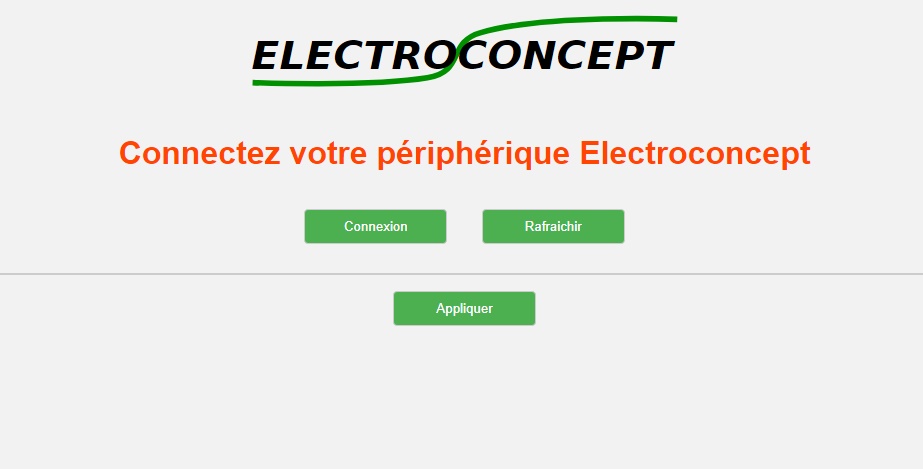
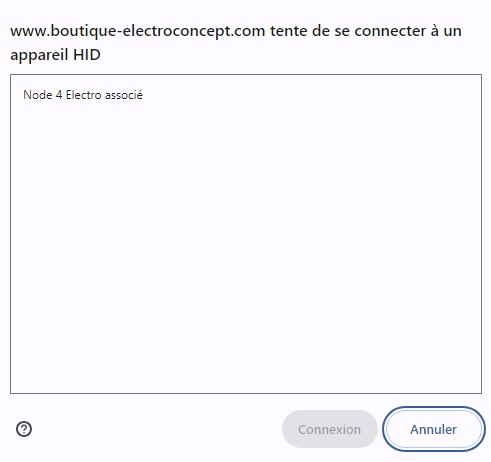
Configuration tabs are the same as on the embedded server. Please refer to the following sections for more details on configuration.
Manual configuration #
All of the emitter’s configuration settings can be accessed from its home screen.
To navigate through all the emitter menus, use the directional wheel. Turn the wheel to access the desired menu and press the wheel to enter the desired menu. To exit, choose return and press again the wheel. If there is no return option, press the wheel.
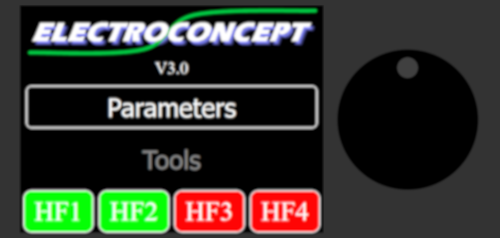
The home screen provides access to settings on the one hand, and DMX data visualisation tools on the other hand. Finally, you can directly view the status of the various DMX HF universes; Active universes are shown in GREEN, while Inactive universes are shown in RED.
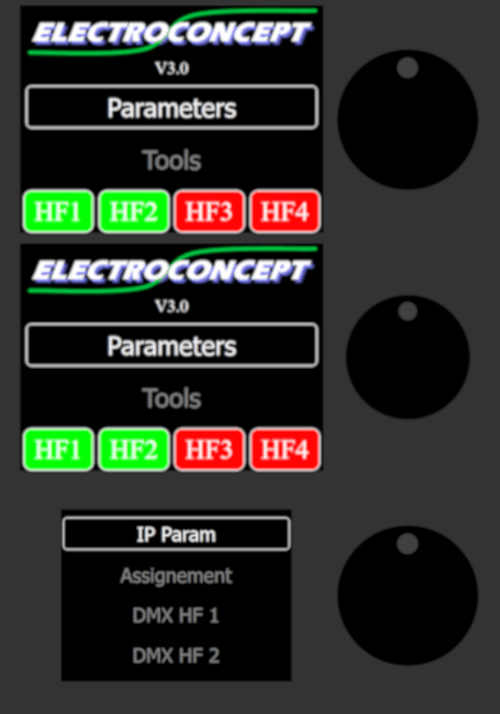
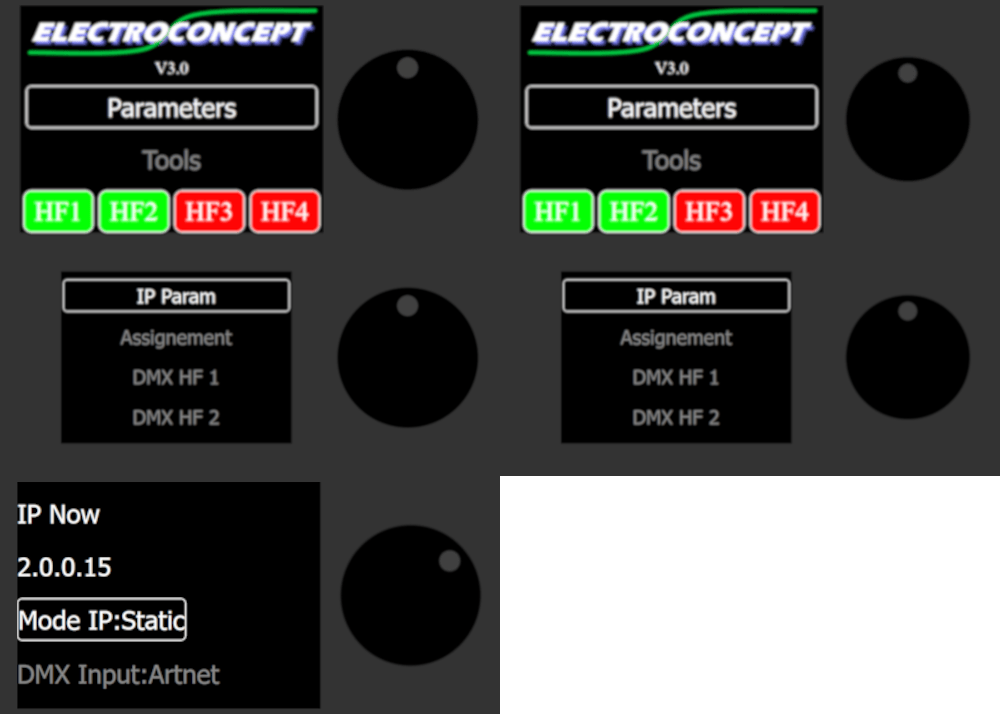
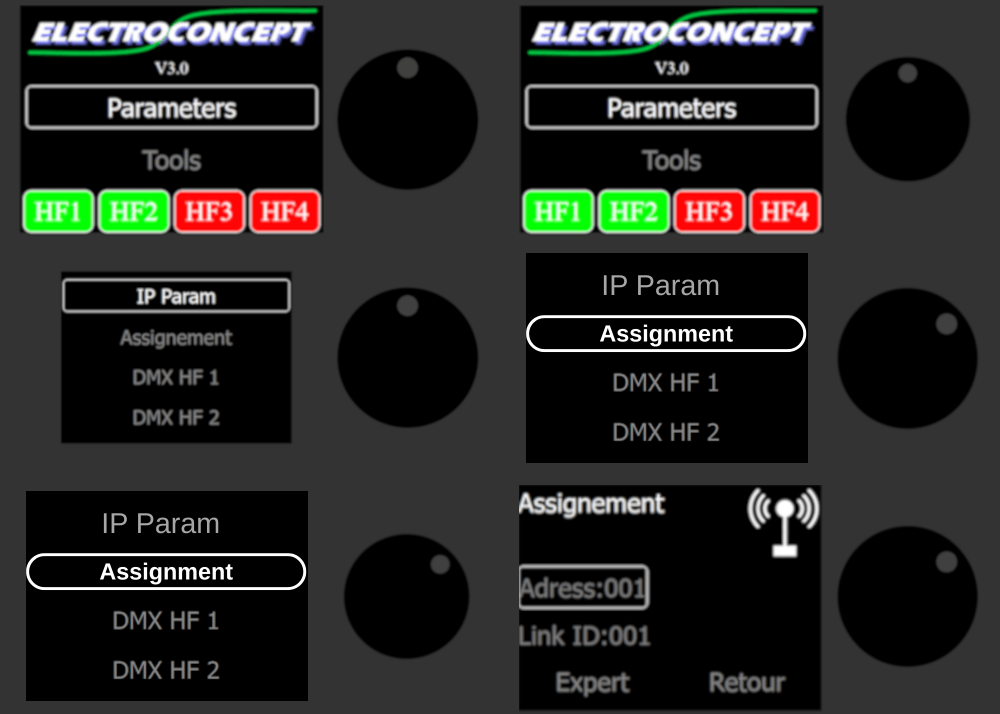
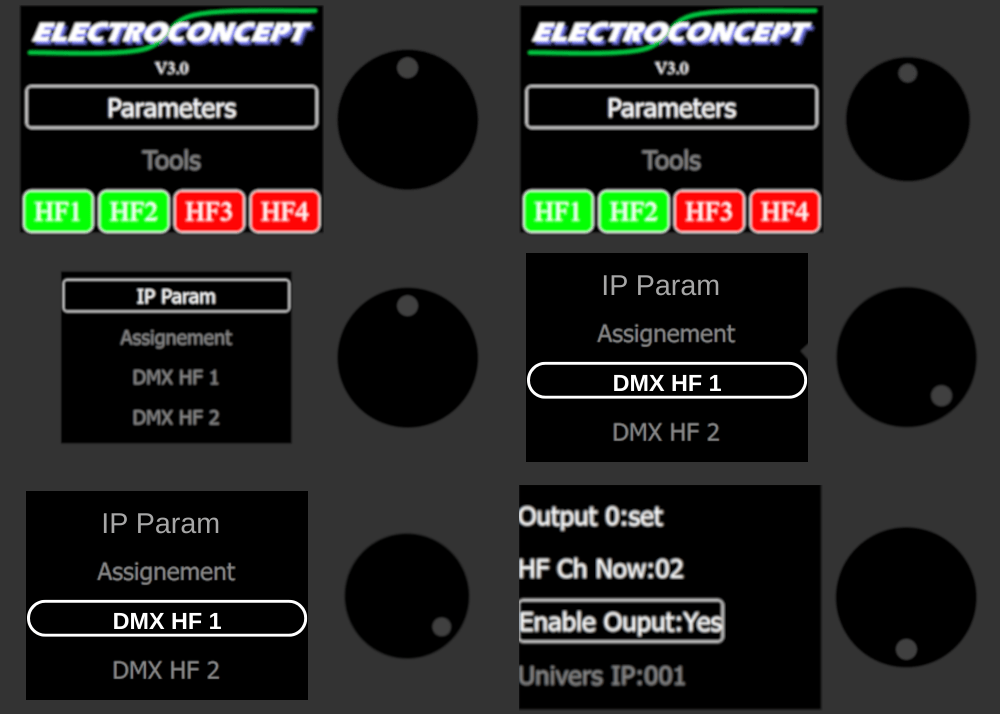
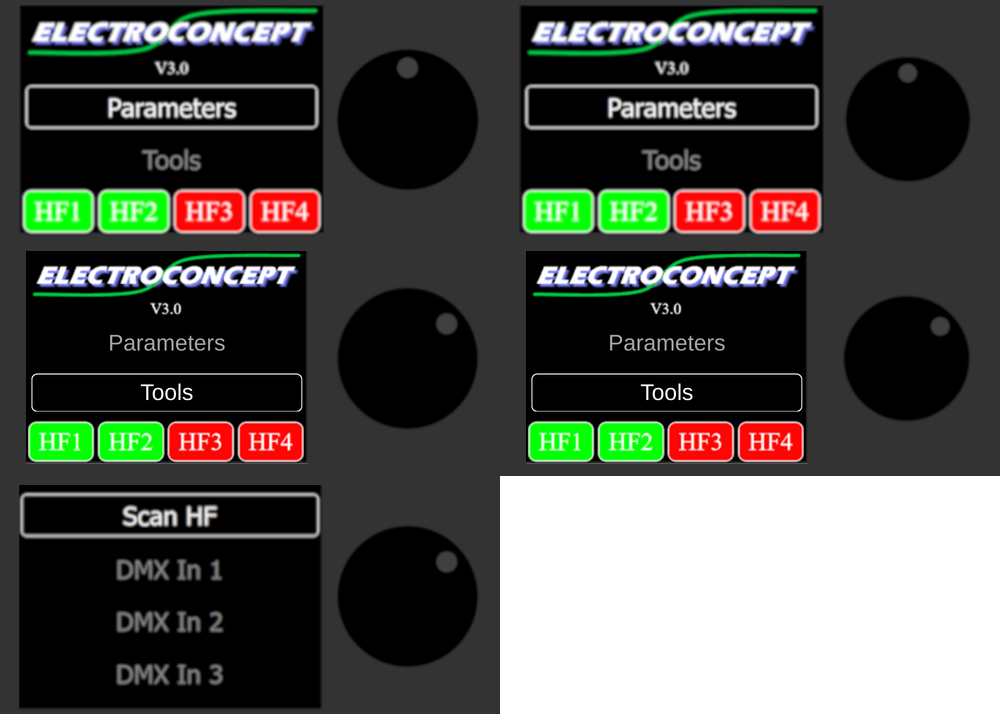
Description of settings menu features:
| IP Param | IP Now: 2.0.0.15 IP mode: DHCP / Static DMX Input: Art-Net/ sCAN IP Static: 002.000.000.015 IP Mask: 255.000.000.000 Return: back to home screen (IP addresses described here correspond to the default ones on the emitter) |
| Assignement | Address: 001 ID link: 001 Expert: access to expert mode settings Return: back to Home Screen |
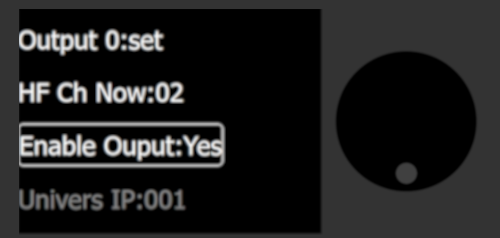
| DMX HF 1 | Output 0 set HF Ch Now: 01 Enable Output: YES / NO IP universe: 000 ID link: 001 HF Channel: 01 Channel Auto: YES / NO Protocol: RevB / RevA Return: back to IP param menu |
| DMX HF 2 | Output 1 set HF Ch Now: 03 Enable Output: YES / NO IP universe: 001 ID link: 002 HF Channel: 03 Channel Auto: YES / NO Protocol: RevB / RevA Return: back to IP param menu |
| DMX HF 3 | Output 2 set HF Ch Now: 05 Enable Output: YES / NO IP universe: 002 ID link: 003 HF Channel: 05 Channel Auto: YES / NO Protocol: RevB / RevA Return: back to IP param menu |
| DMX HF 4 | Output 3 set HF Ch Now: 07 Enable Output: YES / NO IP universe: 003 ID link: 004 HF Channel: 07 Channel Auto: YES / NO Protocol: RevB / RevA Return: back to IP param menu |
| Return | back to Home screen |
| Save | saving selected settings |
| Reset ALL | Back to default settings |
Configuration via embedded web server #
To access the emitter configuration web page, enter your emitter’s address in a browser on the same network.
Example: enter 2.0.0.15 in your browser’s address bar, as indicated on your emitter’s IP Param menu.
Configuration menu #
IP Setting tab allows to configure the Node Art-Net / sACN PoE emitter’s IP address according to your network. Please ensure it is compatible with the subnet to which you are connected. Choose the protocol type you want to use Art-Net or sACN.
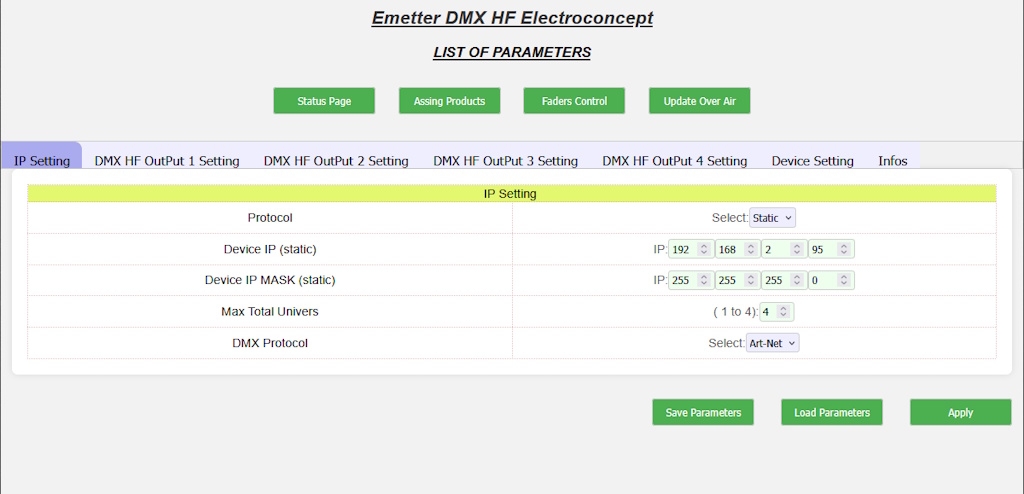
- DHCP or STATIC: Choice of Node’s IP address assignment mode (manual or automatic).
- Device IP (static): Choice of Node’s IP address in Static mode.
- Device IP MASK (static): Choice of the subnet mask IP address in Static mode.
- Max Total Univers (1 to 4): Number of universes to use.
- DMX Protocol: Choice of protocol to use Art-Net or sACN.
According to the Art-Net standard, preference is given to networks like 2.x.x.x or 10.x.x.x with a subnet mask of 255.0.0.0. As a result, the Node’s broadcast address will be 2.255.255.255 or 10.255.255.255.
If you choose to connect your Node to your home network, such as 192.168.0.x with a 255.255.255.0 subnet mask, then your Node’s broadcast address will be 192.168.0.255.
DMX HF Output 1 Setting, DMX HF Output 2 Setting, DMX HF Output 3 Setting and DMX HF Output 4 Setting tabs allow to configure DMX HF Outputs.
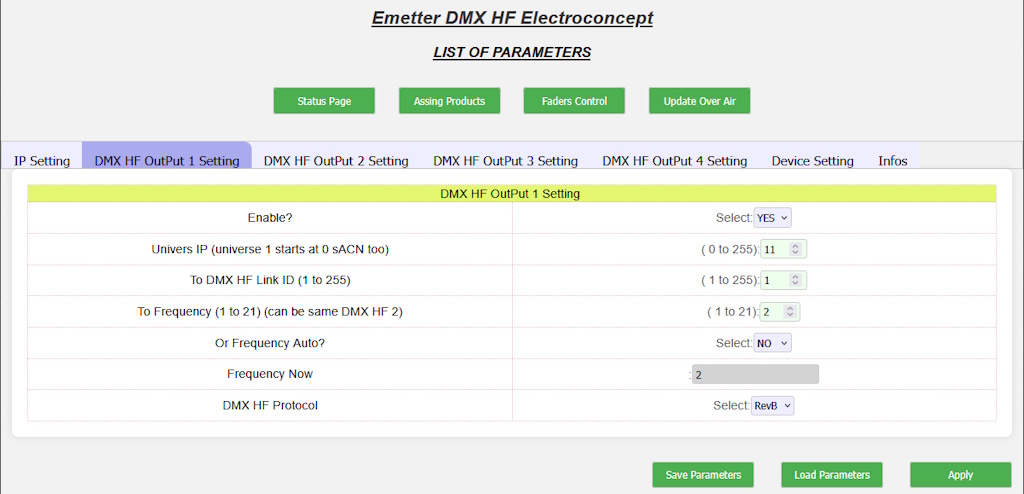
- Enable?: The broadcast of the selected universe is active or inactive.
- IP universe: Identity of the universe to be listened to on the network and sent to the DMX HF Output.
- To DMX HF Link ID: DMX HF universe identity to be broadcasted.
- To Frequency (1 to 21) (can be the same as DMX HF 2): Fixed frequency to use to broadcast HF universe.
- Or Frequency Auto: The automatic selection of the best frequency is enabled or disabled (in a ‘hostile’ or congested environment on the 2.4 GHz band, it is preferable to plan frequencies manually).
- DMX HF Protocol: Electroconcept protocol type to be used. For all receivers manufactured after 2015, choose revision B.
Caution: by convention in the Art-Net standard, the first universe starts at 0. We have chosen to follow the Art-Net standard. Therefore, for all universes settings, the first universe is called 0.
In Art-Net, you can work either in unicast or broadcast:
Art-Net Unicast: Recepting or transmitting, your universe will generally be 0, 1, 2 or 3 (up to 4 universes per IP address).
Art-Net Broadcast: Recepting or transmitting, it will correspond to the broadcasted universe number, up to universe number 255. According to your IP address, your subnet broadcast address will be of the type 2.2555.255.255, 10.255.255 or 192.168.0.255.
Caution: by convention in the sACN standard, the first universe starts at 1. We have chosen to follow the sACN standard. Therefore, for all universes settings, the first universe is called 1
In sACN, you can also select multicast or unicast.
In sACN, you generally work in Multicast, and all universes are in the Multicast address range of the type 239.255.0.x
For example, recepting, if you multicast the first sACN universe on 239.255.0.1, you need to set the OUT universe to 1.
Transmitting, if you want to transmit the 4th universe on the broadcast address 239.255.0.4, you need to set the IN universe to 4.
Device Setting tab allows to configure your interface name on the network and to access the embedded server.
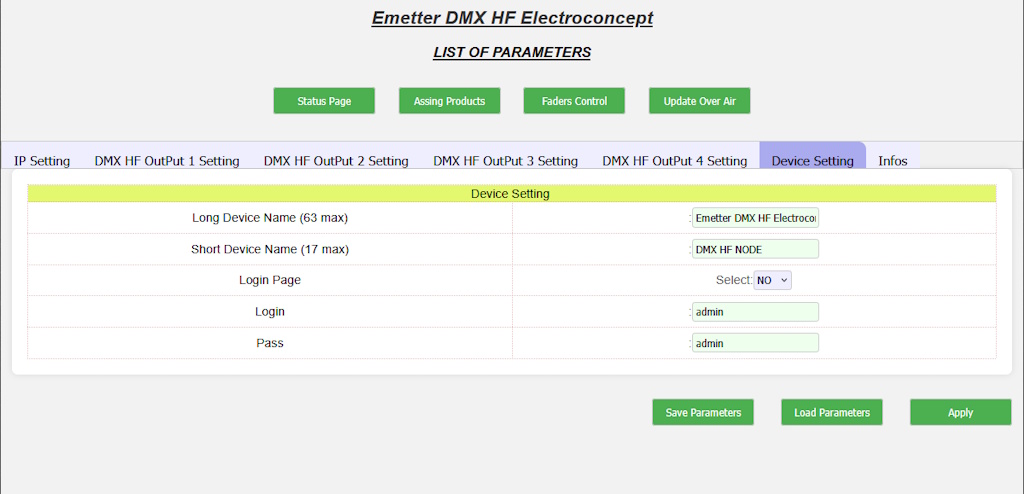
- Long Device Name: Art-Net / sACN Node PoE long name (63 characters maximum).
- Short Device Name: Art-Net / sACN PoE Node short name (17 characters maximum).
- Login Page: Choice of access to the embedded web server by username / password enabled or disabled.
- Login: Login ID.
- Pass: Login Password.
Infos tab contains various information about your Art-Net / sACN Node and resets the Art-Net / sACN PoE Node emitter to its default values.
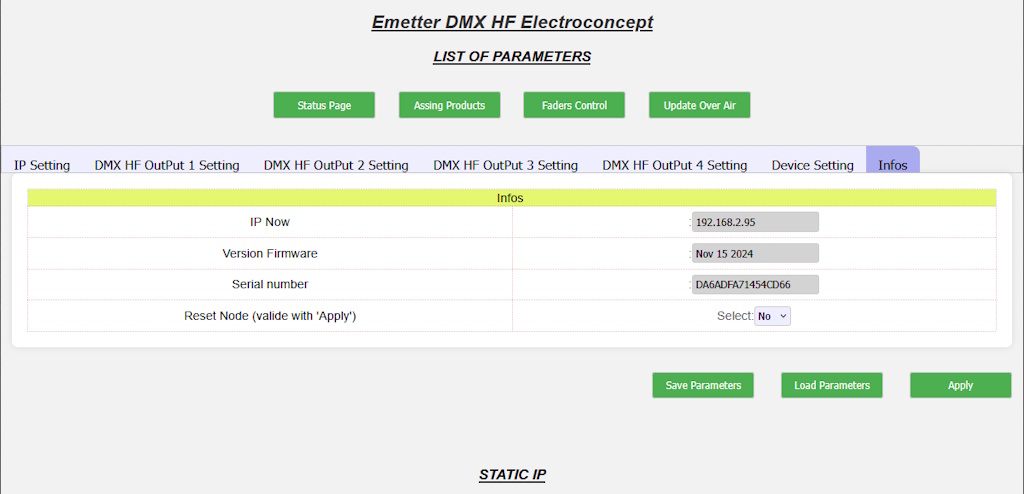
- IP Now: Node’s current IP address.
- Version Firmware: Date of installed firmware.
- Serial number: Node’s internal serial number.
- Reset Node: No/Yes allows you to reset the Node Art-Net / sACN emitter to its default values.
Embedded web server: additional tools #
On the web configuration page, accessible using a standard browser by entering the IP address of the Art-Net / sACN PoE Node, in addition to the standard configuration menus, you will find additional tools for administering the Art-Net / sACN PoE Node:
Save Parameters and Load Parameters for a quick configuration of the Art-Net / sACN PoE Node using a JSON file.
Status Page to graphically view the DMX values of the universes passing through the Art-Net / sACN PoE Node.
Assign Products to assign Electroconcept products and receivers that do not have a Dip Switch or screen.
Faders Control to modify the DMX values of a DMX HF Universe on an ad hoc basis without the need for a console or software.
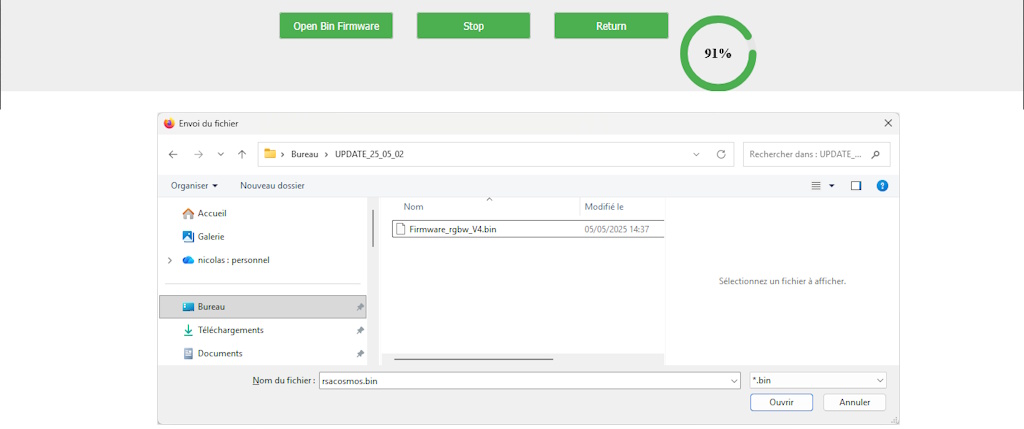
Update Over Air to update the software embedded in Electroconcept HF products (Please note that this is reserved for experts under the supervision of our after-sales service!)
- Save Parameters: stores the current Node Art-Net / sACN PoE configuration on your computer so you can share it.
- Load Parameters: Loads a configuration stored on your computer into the web configuration page, once loaded, click on Apply.
Status Page #
This page allows you to control DMX traffic on the selected Art-Net IN universe.
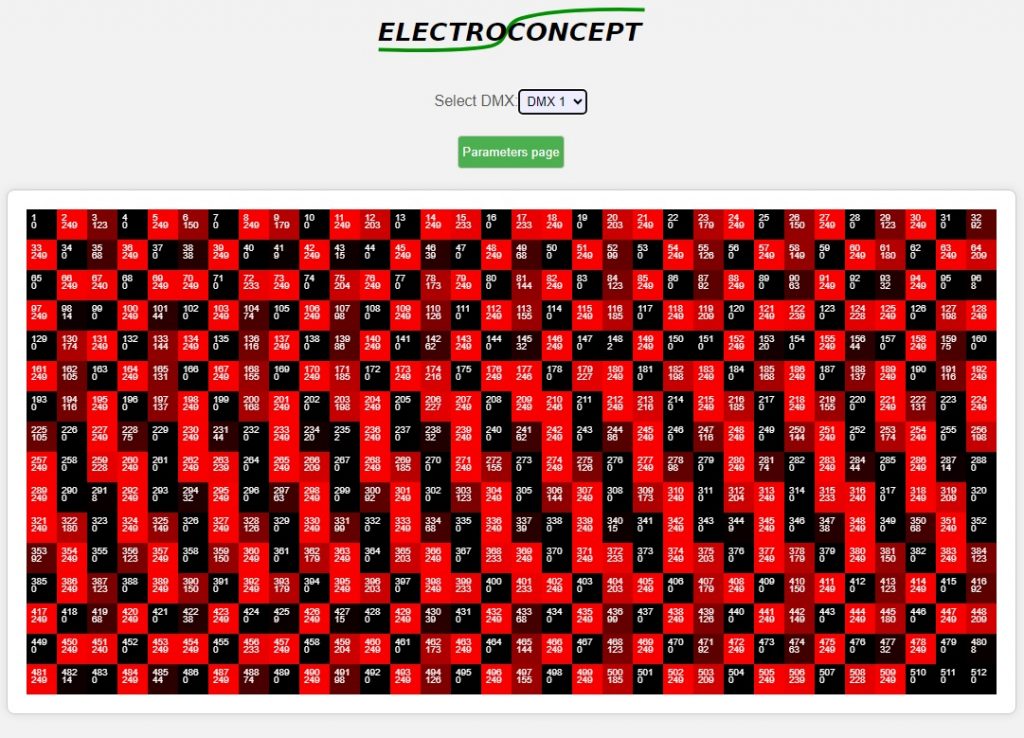
Using the drop down list, you can choose the DMX HF Output to inspect.
Assign Products #
To assign an Electroconcept product that does not have a DIPSWITCH or display, you can use this window to:
- Assign your receivers to the ID universe and/or the address of the DMX HF receiver of your choice.
- In Expert Mode: change the product fixture or additional settings (start-up behaviour, gamma, fade, etc.)
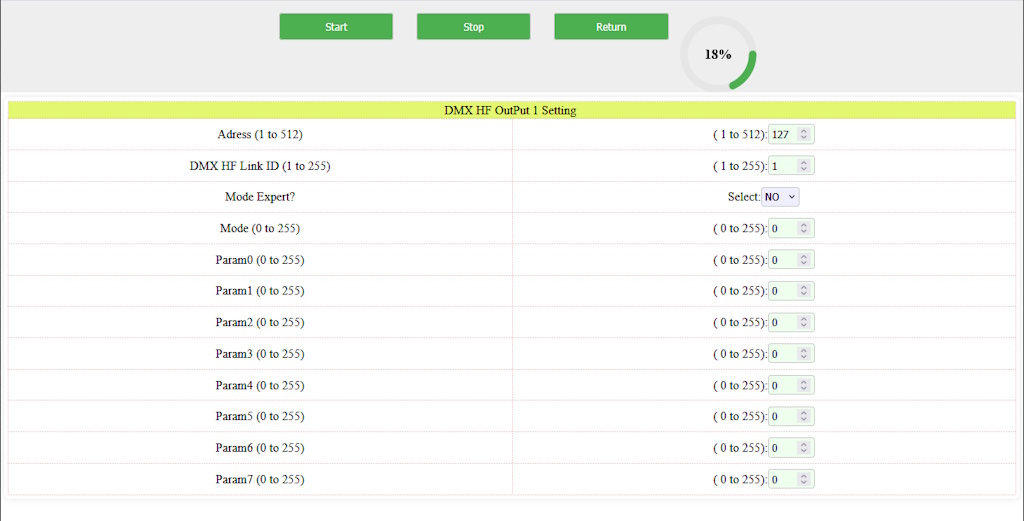
- Connect the transmitter electrically with its USB cable, ensuring that the antenna is also screwed onto the device;
- Go to the Assignment menu on your emitter, select the ID of your DMX HF universe and the DMX address if necessary for your DMX HF receivers;
- To select the desired universe and address, navigate the screen using the directional wheel and press the highlighted name, then turn the wheel to the value you want to set, press the wheel to confirm your choice and exit the value you are editing to edit another one;
- Once the universe and address have been selected at the top of the screen, remain in this menu and switch on your device. The antenna icon with the message ‘assignment in progress’ will flash slowly;
- The LEDs on your DMX devices will flash 6 times quickly to confirm that they have received the assignment information, then flash slowly while searching for a DMX HF signal;
- Once the assignment has been made, perform a transmission test to verify that the information has been received.
- CAUTION: when assigning your devices to a different universe ID than the default, i.e. universe ID 1, remember to also change the emitter’s universe ID, otherwise there will be no connection between the emitter and your entire DMX HF device.
Expert mode: these settings depend on your receivers’ parameters. Only highly qualified individuals should use this mode.
Faders Control #
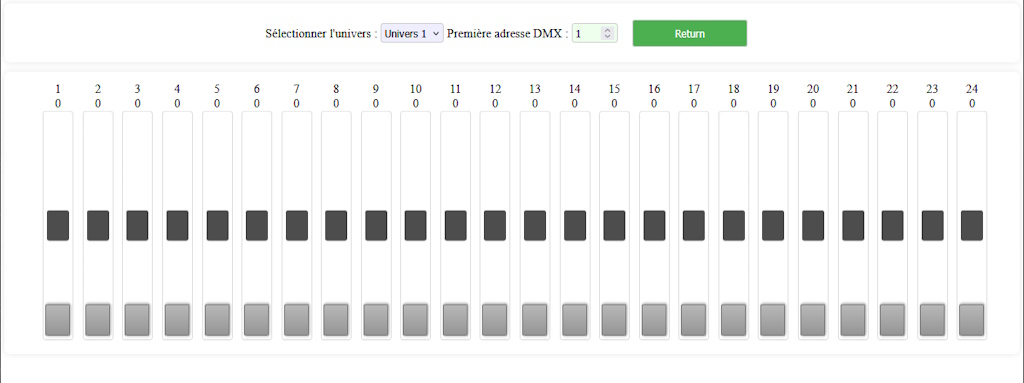
This window allows you to directly modify the values of the DMX channels sent by the emitter.
To change the universe and DMX address of the fader displayed on the screen, use the dedicated scroll bars.
CAUTION: please note that if you have an Art-Net Universe input at the same time, the latter will take priority.
Update Over Air #
This window is reserved for advanced and experienced users under the supervision of one of our customer service representatives.
Usage #
As soon as the Node Art-Net / sACN emitter receives one or more Art-Net universes corresponding to the configured IP universes, the corresponding HF1, HF2, HF3 and HF4 LEDs turn green and the connection is active.
Using HF Electroconcept products does not change how you use your DMX devices.
The technology used in this product ensures complete transparency between your devices.
For each HF universe, all 512 channels are sent. Frame synchronisation ensures there is no latency between the emitter and receiver.
N.B.: All your products that use built-in receivers can be used with a wired connection. The receiver has a standby mode that activates if a DMX connection is detected at the device Input.


